
Christmas Instagram post ideas, plus a December posting plan
By Sara · · 9 min read
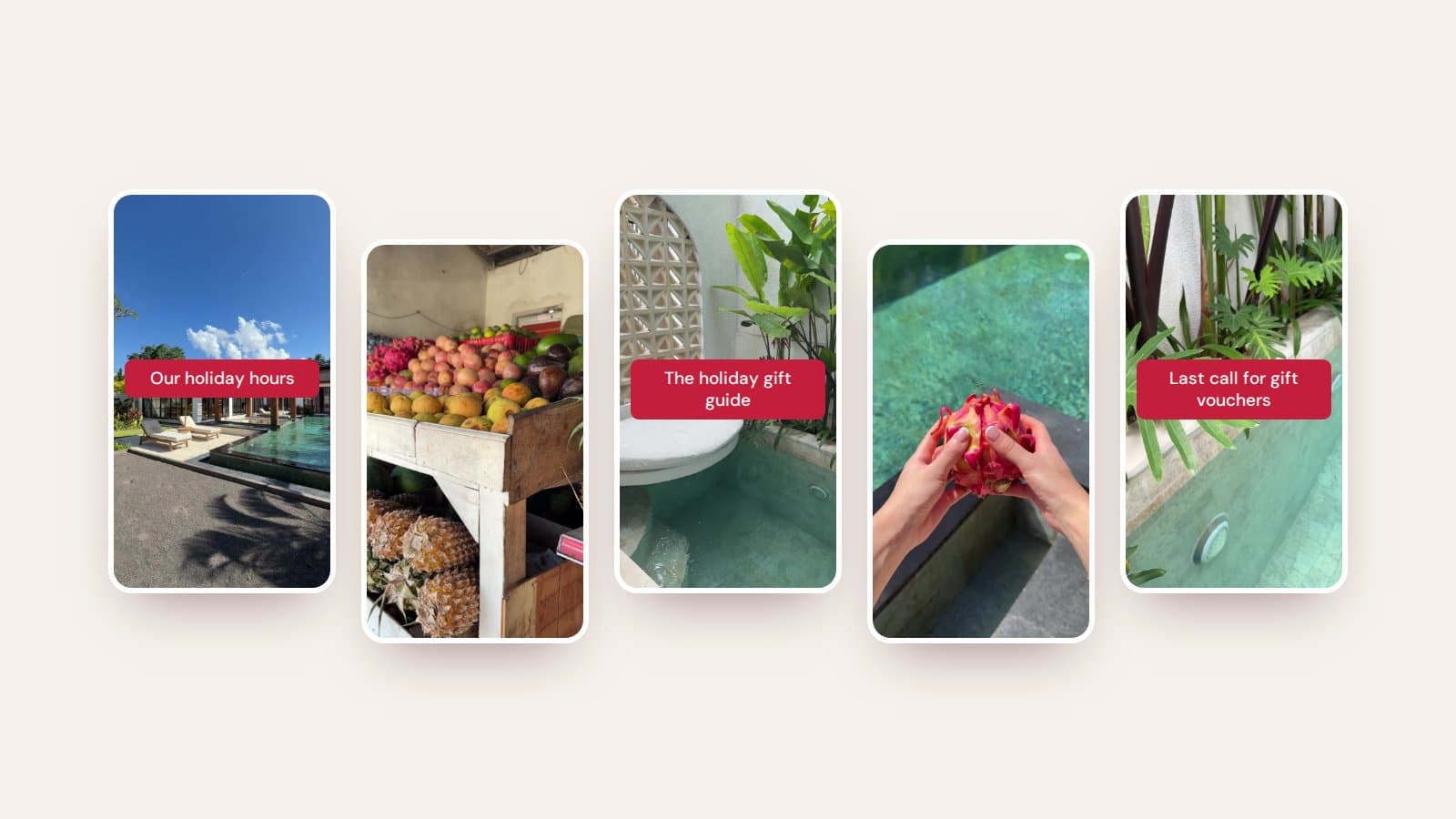
Christmas Instagram post ideas for small businesses and creators, plus a day-by-day December posting plan to save, for a snowy Christmas or a sunny one.
December is the busiest month of the year to post, and the easiest one to fall behind in. Between end-of-year orders, parties and the summer holidays, Instagram is often the first thing to slip. A simple plan, made before December starts, fixes that.
Here's a day-by-day December posting plan you can save, 25 Christmas post ideas sorted by type, ideas for different kinds of businesses, and how to make it all feel festive without losing your look. It works wherever you are, whether your Christmas means snow and candlelight or mangoes and pool days.
Your December posting plan
One idea for every day of the month. The red days are the ones not to miss: holiday hours, order deadlines, last-minute gifts, Christmas Eve, Christmas Day, Boxing Day and New Year's Eve. Rest days are built in, because you'll need them.
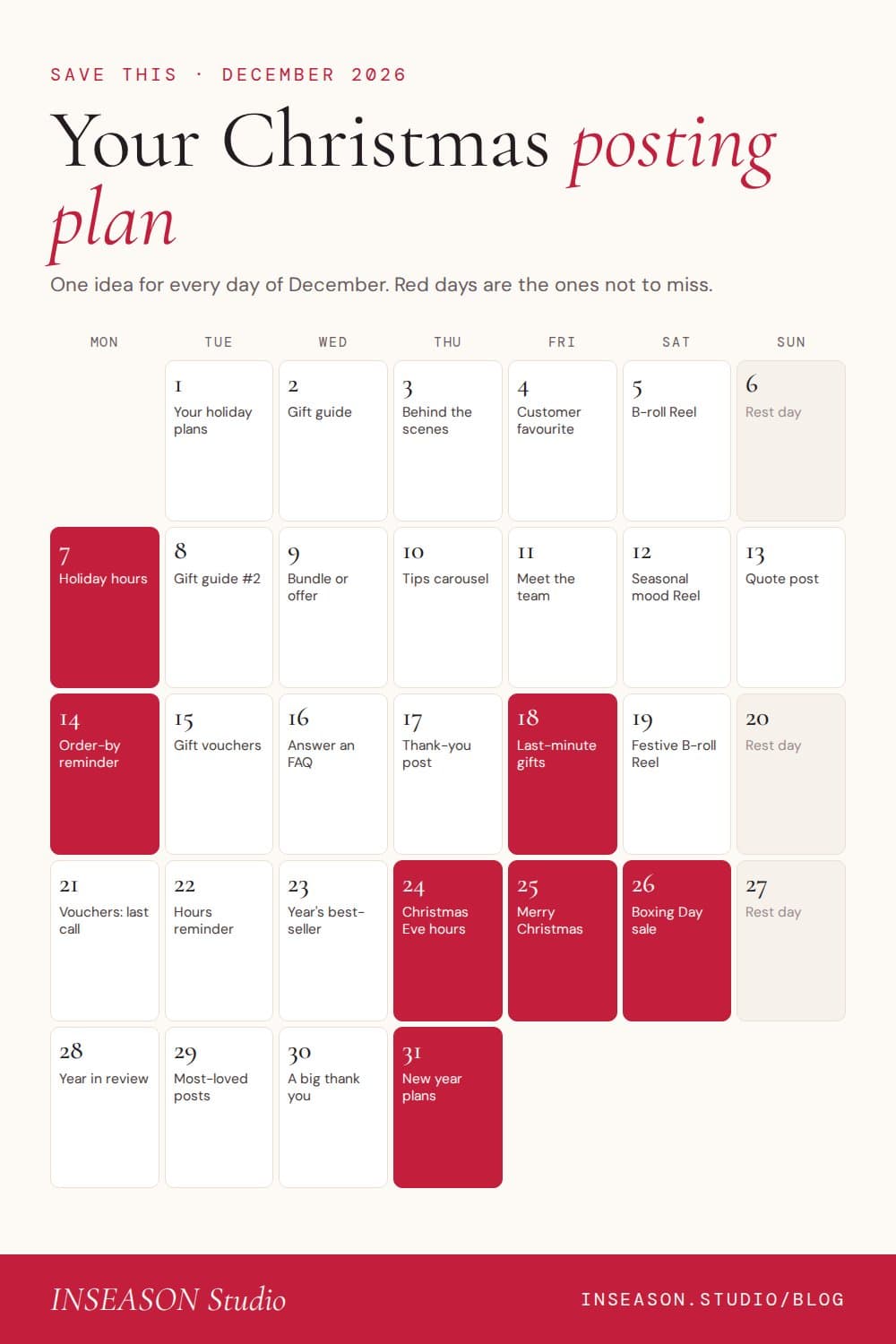
You don't need to post every day. If three or four posts a week is more realistic, keep the red days and pick your favourites from the rest.
25 Christmas Instagram post ideas
Gifts and offers
- A gift guide: your products or services grouped by who they're for (for mum, for the friend who has everything, under $50)
- A gift voucher post, with how to buy and how they're delivered
- A Christmas bundle or limited edition, shown up close
- Your best-sellers of the year as a carousel
- A small thank-you offer for your followers, with a clear end date
Reminders that save you messages
- Holiday opening hours, posted early and pinned to your profile
- Order-by dates for Christmas delivery
- Last-minute gift ideas for people who left it late
- Christmas Eve and Boxing Day hours
- When you're closed and when you're back, so no one is left waiting
Behind the scenes
- Packing orders or wrapping gifts
- Setting up your space for the season
- Your team's Christmas party or a quiet end-of-year lunch
- The making of a seasonal product, menu or class
- What a December day really looks like for your business
Festive mood, winter or summer
- A cosy candlelit evening: a book, a blanket and a hot chocolate
- A slow pool or beach Reel with a one-line festive hook, if your Christmas is a summer one
- Your festive table, whether it's a roast dinner or cherries and stone fruit
- A mulled wine by the fire or an iced coffee for the long lunch
- Your favourite Christmas tradition
Gratitude and the year ahead
- A thank-you post to your customers or community
- Your year in review: the highlights in five slides
- Your most-loved posts of the year
- What you learnt this year in business
- Your plans or word for next year
Christmas ideas for your type of business
- Cafés and food brands: your Christmas menu, pre-order cut-offs, catering for long lunches and holiday hours. More in our ideas for cafés and food brands.
- Beauty and skin: gift vouchers, party-season appointments, a festive glow routine and your last booking date. More for beauty businesses.
- Pilates and fitness: your holiday timetable, a summer challenge, gift passes and January intake. More for Pilates studios and trainers.
- Coaches and educators: your year in review, a reflection prompt, January program waitlists and a thank-you to clients. More for coaches.
- Product brands: gift guides, bundles, order-by dates and an unboxing Reel. More for small businesses.
Make it festive without losing your look
You don't need to swap your whole feed for red and green. Keep your fonts, layouts and post types exactly the same, and add one festive accent: a deeper red, a soft gold or a touch of green. Your feed stays recognisable and still feels like the season. Our guide to making your Instagram feed look cohesive covers how to shift with the seasons, and our spring colour palettes have a few warm options that carry into summer.
Christmas Reels without filming
December is when you're least likely to have time to film. Lean on short B-roll clips instead: a pool, a fruit stall, a coffee being poured, candles at dusk. Add one line of text, like your holiday hours or a gift idea, and a sound. Here's how to make Reels with B-roll, step by step.
Questions people ask
When should I start posting Christmas content on Instagram?
Start in late November or the first week of December, when people begin gift shopping. Post practical reminders like order-by dates and holiday hours from mid-December.
How often should I post in December?
Three or four times a week is plenty for most small businesses. Make sure the key dates are covered: holiday hours, order deadlines, Christmas Eve, Christmas Day, Boxing Day and New Year's Eve.
What should I post on Christmas Day?
Something simple and warm: a thank-you or a Merry Christmas message over a calm image or clip. Schedule it in advance so you can enjoy the day.
Should I post between Christmas and New Year?
If you're running a Boxing Day sale or you're open, yes. Otherwise a year-in-review or most-loved posts carousel is a gentle way to stay present without much effort.
How do I make Christmas posts look on brand?
Keep your usual fonts, layouts and colours, and add one festive accent colour. Avoid switching to a completely new style for one month. See the cohesive feed guide.